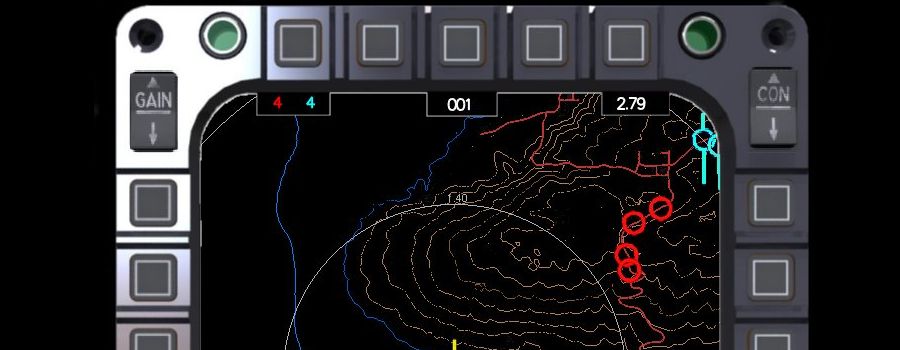
Tactical Display simplified
Both vsTASKER and Tactical Display Simplified are developed by VirtualSim, but they serve different parts of the military and traffic simulation pipeline. vsTASKER is the core simulation engine, while Tactical Display (TDS) is the visualization and User Interface (UI) component.What is vsTASKER?vsTASKER is a robust, logic-driven simulation engine used to build, script, and manage complex tactical scenarios.Core Task: Handles heavy computational lifting, entity behaviors (AI), and rule-based decision making for up to 20,000 entities.Logic Editor: Uses flowcharts and decision trees to program how units react, fight, or follow rules of engagement.

Primary Use: Running batch tests, "what-if" analyses, and real-time stress testing.What is Tactical Display Simplified?Tactical Display Simplified (TDS) is a built-in Human-Machine Interface (HMI) builder used alongside vsTASKER to create a visual workspace.

Core Task: Displays and visualizes the data generated by the vsTASKER engine.Interface Design: Allows operators to quickly build a standalone, 2D/3D visual screen to monitor troops, air traffic, or naval battles.

Primary Use: Providing the user with the actual control panel to interact with the simulation, monitor moving icons, and send manual commands.

Key Differences at a TASKER Tactical Display Simplified Type Logic  & Simulation Engine Graphical User Interface (GUI) PurposeTo execute rules, physics, and AI.To visualize data and track moving entities. How It's Used You program the scenario and run the tests. You look at the map and click on icons to control the units. Essentially, you use vsTASKER to create the "brains" and rules of your simulation, and you use Tactical Display Simplified to create the "eyes" and dashboard so a user can interact with it.
Tactical Display simplified" is a specific development project and capability showcase created by VirtualSim to demonstrate how their vsTASKER HMI (Human-Machine Interface) builder can quickly build functional tactical screens without expensive external GUI tools.Instead of treating them as two competing software packages, it is best understood as a built-in feature ("Tactical Display simplified") vs. the core engine software (vsTASKER).The Core Difference  vsTASKER is the overarching simulation engine and code generator. It handles the heavy lifting: synthetic environment logic, multi-agent behaviors, sensor rules, and scenario execution (like controlling drone swarms or tracking 20,000 entities). Tactical Display simplified is a specialized HMI design methodology within vsTASKER. It uses an embedded OpenGL-based builder to quickly create user control panels and map tracking displays directly bound to that underlying simulation data.Functional BreakdownFeature / Aspect vsTASKER (Core Engine)Tactical Display simplified (HMI Layer)Primary Purpose Scenario edition, CGF execution, and behavior logic.User input, situational awareness, and UI mockups.Graphics Foundation Handles 3D databases, terrain injection, and open plugins like OpenSceneGraph.Pure 2D/simplified bitmap-textured OpenGL for lightweight GUI.IntegrationActs as the data hub, transmitting scenario status over CIGI, network protocols, or C++ APIs.Baked directly into the engine executable; requires zero external code integration or third-party UI runtimes.Output Type Standalone simulation logic running up to faster-than-real-time.Interactive operator windows (buttons, maps, symbology overlays).Why VirtualSim Emphasizes This Approach Traditionally, defense contractors use separate, highly expensive software suites just to draw the cockpit panels or tactical maps, which then must be painstakingly coded to talk to the backend simulation. VirtualSim's "Simplified" concept demonstrates that developers can skip the separate UI integration process. Because the HMI builder lives inside the simulation software, a map display or menu panel can be drawn and bound to simulation variables immediately, outputting a completely standalone deployment license-free.
Reference image showing features of vsTASKER
Reference video showing features of vsTASKER
Core Use Cases

Air Traffic Management: Streams real-time external ADS-B data (like live commercial flights) directly onto the simulation map alongside locally simulated air traffic.

Drone Surveillance: Simulates drone flights over specific terrain, manages payload-mounted camera views, and runs AI image analysis to extract target coordinates in real time.

Satellite Tracking: Defines orbital paths and spaceships, automatically computing ground-to-space visibility, earth shadowing, and intercontinental missile tracking using Kepler parameters or NORAD TLE databases.

3D Visual Trainers: Combines scenarios built on 2D maps with 3D viewer engines (such as VegaPrime) to generate deployable trainers for military simulations, urban combat, and flight simulators.

Stress Testing: Allows developers and operators to place up to 20,000 active, logic-based entities on the map simultaneously to stress test C4ISR systems and network responses.
Downlaod - Tactical Display simplified
Request for Trial licence
Download User Guide & reference manual
How It Helps OperatorsThe tool is designed to make complex battlefield or traffic scenarios simpler through visual logic:Real-Time Logic Monitoring: Operators can watch entities move on the map and easily debug or check that automated logic, scripts, and decisions are being triggered correctly.Quick Standalone Execution: Scenarios are designed on an interactive, responsive map and compiled into a standalone executable program, allowing them to run independently without needing the full vsTASKER software running in the background.Would you like to explore how to set up a specific use case (like drone surveillance or air traffic), or learn more about integrating third-party tools like STK or VegaPrime?